Over the past 8 weeks or so, Mr. Mike Nantais has taught us a lot about different apps and programs that we should try with our students someday. It has been an absolute joy learning about these technology related topics in such a relaxed environment. Our group 11 or 12 education students are very fortunate to have the chance to learn just in our little group. Safe to say that I am now comfortable building a website (via Weebly), designing a word splash, putting together a digital story, editing photos, and producing a short video; just to name a few. Each and every one of these tasks is definitely something a middle year's student can achieve through guidance.
I consider myself an up and coming teacher that has a pretty good grasp on technology and how it could be used properly in the classroom and more so now after both of the courses I took from Mr. Nantais. But with the way young students are these days, I think a lot of middle year's students could still teach me a thing or two. Young students are spending a ton of time on their iPhones, iPads, and laptops. Bring Your Own Device (BYOD) becoming a reality in a lot of school divisions throughout North America. It is crucial that new educators are up to date on how to use technology for the purpose of learning and especially when the students are bringing their own. It obvious that Brandon University has recognized this a while ago and has provided my classmates and I with two excellent "technology" based courses related to education. Much appreciated BU and Mike Nantais.
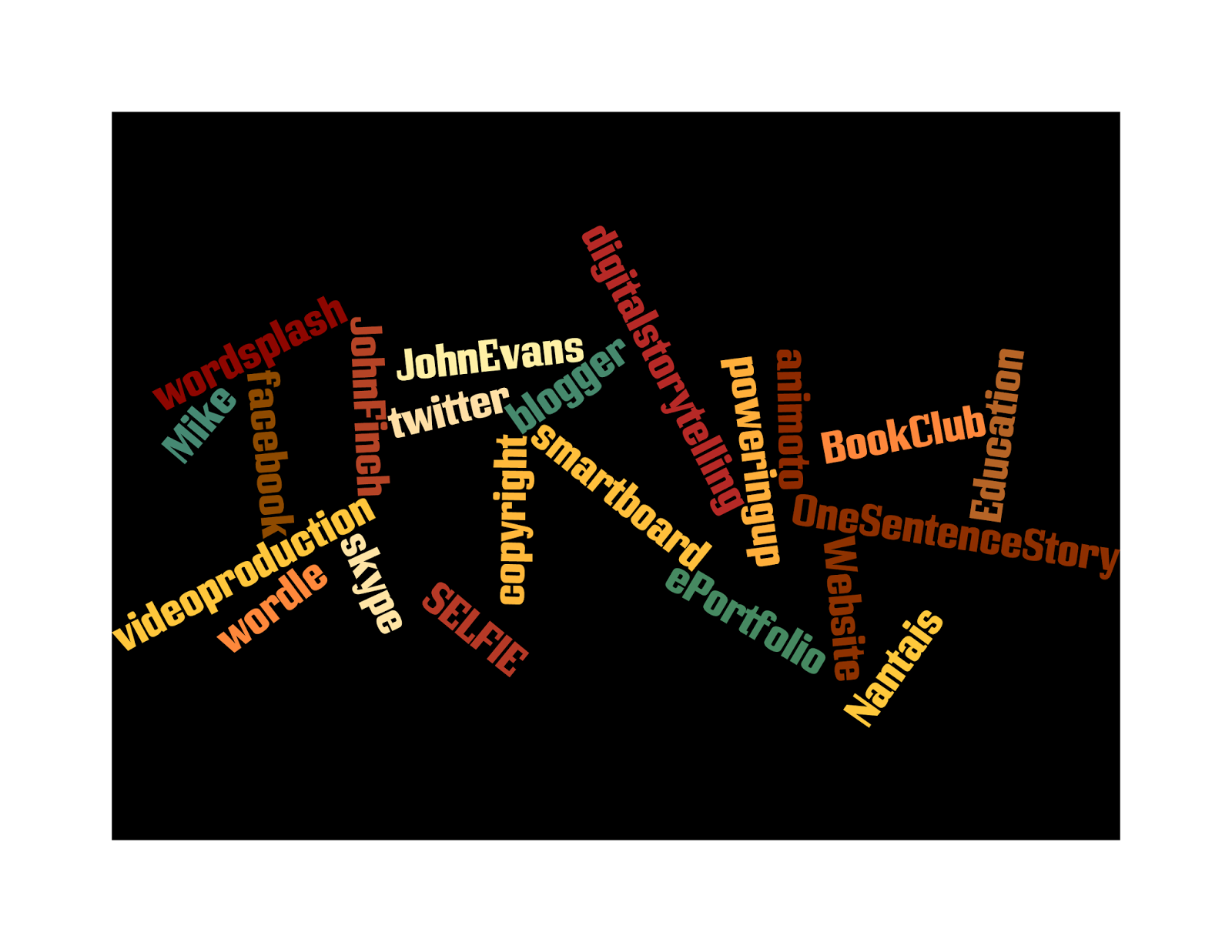
Word splash full of ICT memories:
Monday, 3 March 2014
Saturday, 1 March 2014
Powering Up! With Shelly Wright
Over the past week, I have continued reading the text titled The Connected Teacher: Powering Up, and there were sections that kept my focus. Confessions of a Closet Constructivist by Shelly Wright, is a fantastic little article about an educator who was a constructivist and didn't even know it. According to Wright, constructivist is "Adherents of constructivism essentially believe that children learn by being actively engaged in reflecting on their experiences," it is basically saying that students learn through interactions with others. It could be classmates, teachers, or other professionals.
Wright mentions a couple issues in particular that halt this way of learning. One issue, that she herself says she is guilty of, is the teacher centered classroom. That consists of her talking and the class facing front, listening and have limited encouragement to participate in any way. She goes on to say that her class will change from this ridiculousness, and round tables will be moved into her class for more student interaction. Increased learning from fellow classmates and more hands on projects will take place regularly. This really caught my attention, because throughout my education experience I thought it was all about student engagement. No matter what it takes, make sure your students are engaged to the max. From what I have observed through student teaching and working as an educational assistant, some teachers become very stubborn and stuck in their ways and are totally against try something new in their classroom. Experimental teaching/learning is where it's at in 2014 and they must realize this sooner than later.
Mrs. Wright goes on to discuss the second issue, which is too much textbook learning. This is an issue; I know what it is like to learn from a textbook, because I did it as a young lad growing up. I realize that their wasn't as many engaging resources back in the late nineties compared to today, but to think it used to be all about textbook learning not too long ago makes you really shake your head doesn't it?
As I continue to read this text, I hope to learn a lot more from veteran educators and gain better understanding of the shift to connected, inquiry driven teaching.
Wright mentions a couple issues in particular that halt this way of learning. One issue, that she herself says she is guilty of, is the teacher centered classroom. That consists of her talking and the class facing front, listening and have limited encouragement to participate in any way. She goes on to say that her class will change from this ridiculousness, and round tables will be moved into her class for more student interaction. Increased learning from fellow classmates and more hands on projects will take place regularly. This really caught my attention, because throughout my education experience I thought it was all about student engagement. No matter what it takes, make sure your students are engaged to the max. From what I have observed through student teaching and working as an educational assistant, some teachers become very stubborn and stuck in their ways and are totally against try something new in their classroom. Experimental teaching/learning is where it's at in 2014 and they must realize this sooner than later.
Mrs. Wright goes on to discuss the second issue, which is too much textbook learning. This is an issue; I know what it is like to learn from a textbook, because I did it as a young lad growing up. I realize that their wasn't as many engaging resources back in the late nineties compared to today, but to think it used to be all about textbook learning not too long ago makes you really shake your head doesn't it?
As I continue to read this text, I hope to learn a lot more from veteran educators and gain better understanding of the shift to connected, inquiry driven teaching.
Friday, 21 February 2014
Mr John Evans and a Golden Goal!
On Wednesday February 20th, we welcomed John Evans to our ICT class. John is a web technologies consultant with Manitoba Education. In the short time he had to present to us, he filled us in on a ton of resources and different ways to expand our Professional Learning Network. We discussed PLN's last year in Internet for Educators, and I don't think anything has changed since the PLN I created last year. But today, Mr. Evans introduced something that I may need to add.
John gave the class a tour of the program called Maple, which is a Professional Learning Network tool solely built for teachers. Maple (MB professional learning environment) was created to help MB teachers share resources just by a click of the mouse. If you come across something that is cool to use in a lesson, you can share it by posting it in a particular group on Maple. Also, if you are in need of some ideas for a lesson, other teachers in the province with a Maple membership can hook you up. The Maple website also consists of many curriculum documents and groups that cover a wide range of topics. It definitely looks like it would be easy to navigate, which is a huge plus for someone like myself. I really liked the idea of your own personal library where every resource I find I can just add it right to my library; this way it is all going to one place.
I want to thank John Evans for braving the winter roads and coming out to speak with us. I am looking forward to using MAPLE in the future and taking advantage of everything it offers.
P.S. I will always remember where I was when Women's Canadian Olympic Hockey Team scored in overtime to win the gold medal over the United States. That was a ton of fun. Go Canada Go.
Johns Website: http://joevans.pbworks.com
John gave the class a tour of the program called Maple, which is a Professional Learning Network tool solely built for teachers. Maple (MB professional learning environment) was created to help MB teachers share resources just by a click of the mouse. If you come across something that is cool to use in a lesson, you can share it by posting it in a particular group on Maple. Also, if you are in need of some ideas for a lesson, other teachers in the province with a Maple membership can hook you up. The Maple website also consists of many curriculum documents and groups that cover a wide range of topics. It definitely looks like it would be easy to navigate, which is a huge plus for someone like myself. I really liked the idea of your own personal library where every resource I find I can just add it right to my library; this way it is all going to one place.
I want to thank John Evans for braving the winter roads and coming out to speak with us. I am looking forward to using MAPLE in the future and taking advantage of everything it offers.
P.S. I will always remember where I was when Women's Canadian Olympic Hockey Team scored in overtime to win the gold medal over the United States. That was a ton of fun. Go Canada Go.
Johns Website: http://joevans.pbworks.com
Sunday, 16 February 2014
Filming a Video...taking me back.
This past week in my ICT course, we were asked to create a short video on whatever we wanted. This little project sure took me back to my middle year's days, when we had an opportunity to use a video camera for the first time at school to create some sort of social studies or science project. I am talking about the days of putting VHS tapes into your camera...oh boy, those were the days! The excitement that came over me and my classmates was flying high when we had a chance to use technology for a school project. I hate to date myself, but when I was middle school their wasn't ipads, smart boards, or cell phones (except the Zack Morris cell phones...Google it if your too young). Nonetheless, we had a blast making short little documentaries on whatever it was, because it got us excited and engaged to the max about learning. Also, it got us away from the pencil and paper learning, which was the common theme at that time.
Having students explore new technology and create something educational with it for others to enjoy, is an awesome way to keep your students engaged. Students love to experiment with new computer programs that lets you mix text, pictures, sound, and motion. You never know, they could find a passion in life by being creative with technology introduced by you.
My last cooperating teacher this spring is a huge fan of using technology to teach, so I am looking forward to learning some tricks and letting the students try a few things I have learned in ICT.
Having students explore new technology and create something educational with it for others to enjoy, is an awesome way to keep your students engaged. Students love to experiment with new computer programs that lets you mix text, pictures, sound, and motion. You never know, they could find a passion in life by being creative with technology introduced by you.
My last cooperating teacher this spring is a huge fan of using technology to teach, so I am looking forward to learning some tricks and letting the students try a few things I have learned in ICT.
“Technology is just a tool. In terms of getting the kids working together and motivating them, the teacher is most important.” - Bill Gates
Sunday, 9 February 2014
You Can Never Learn Enough in ICT Class
Over the past week in Mike Nantais' ICT course, as a group we have had a blast trying new techy programs that have been introduced to us. We started the week by creating 30 second videos, by using a simple program called Animoto. Each of us picked 8 or so personal photos that are related in some sort of way (theme) and inserted them into Animoto program. From there, you add your own text and background design, and Animoto puts it all together for you. This program is simple enough to try with primary school students. Later in the week, we were shown a few programs that enable us to edit photos the way we want using programs such Pixlr. This is far from new, but it was actually first time I have gave it a try and it is something I will use in the future in and out of the classroom. As well as learning this, we have learned about the importance of teaching your students how to source images that they may use from the Internet (copyright issues).
Mike's approach to teaching our course lately is an excellent one, as he been introducing new ideas on a day to day basis and this has me looking forward to what he will show us next. Having students that are excited to learn new things everyday is what teaching is all about and that is what Mike has accomplished I think with our group.
Websites used for last weeks tech tasks...Give them a try!
Animoto:
Mike's approach to teaching our course lately is an excellent one, as he been introducing new ideas on a day to day basis and this has me looking forward to what he will show us next. Having students that are excited to learn new things everyday is what teaching is all about and that is what Mike has accomplished I think with our group.
Websites used for last weeks tech tasks...Give them a try!
Animoto:
Pixlr:
Sunday, 2 February 2014
Hello Digital Storytelling...I have missed you!
This past week in ICT, Mike brought up the topic of digital storytelling and how it could be used in the classroom. For some of us ED students, we were introduced to this same topic last term, but I think this time around we are going to get a little more in depth and get a little better idea on how to use it in class. It was something that I really didn't know a whole lot about before last term, when we asked how to put such a thing together, we were told to "google it." So I did, and I learned just enough to put together a mediocre digital story using the book "Where the wild things are." It consisted of me taking pictures of the pages, making sure it zoomed in and out to make it look cooler, sort of, and then recorded my beautiful voice reading the story. It was quite a fantastic experience for myself.
Anyways, I am looking forward to learning different ways of creating a digital storytelling and producing a little one about myself. It is something that I would love to try in my last student teaching placement, and I know it would be something the students could have fun with. Believe it or not teenagers love to work with technology, so why not let them have some fun and show off their creative side by producing something cool they can show off to their classmates.
The link below, gives you a good introduction of how to use it in your classroom:
Monday, 27 January 2014
Mike Says to "Build A Website!"
Starting this past week in my ICT course, Mike (our prof) asked us students to build a website, and create it like it is your own classroom website. Surprisingly I had never once created my own website, it was always something that I made someone else do for me (fantasy sports site, team site), because it seemed a tad overwhelming to give a try. But actually, it is pretty easy to get started because of the numerous websites that make it easy for you to start one up.
I have seen a ton in my day, a lot of friends and ex colleagues have their own websites that which they keep up to date and some that haven't kept up with their site at all. I truly feel that a class website is the best way to keep students, parents and fellow colleagues up to date on the daily happenings within a classroom. Instead of sending a weekly newsletter home with your students, just take 5 minutes and update the website because it is important to keep parents informed of what their son/daughter is learning on week to week basis.
So then, I had to decide on what I would want on my own classroom website...
Who am I...A brief "About me" section, just to introduce myself to the parents who do not know a whole lot about me yet.
Contact...Basically just my contact information, consisting of my e mail and phone number to the school.
Homework...This section can consist of the daily homework. If a student has forgotten what was due, then they can always check our classroom website for information. This could be very useful for parents as well.
Schedule...This section will give students and parents an idea on what kind of events, celebrations, tests or projects that are coming up for this particular class.
Classroom Rules...These are a list of expectations that are done by the class and I at the start of the school year. They will need to be followed throughout the school year and they will be posted in class as a reminder to all the students.
These are just some ideas so far, I can always add more, definitely has been fun to give a try and looking forward to seeing the finished product.
I have seen a ton in my day, a lot of friends and ex colleagues have their own websites that which they keep up to date and some that haven't kept up with their site at all. I truly feel that a class website is the best way to keep students, parents and fellow colleagues up to date on the daily happenings within a classroom. Instead of sending a weekly newsletter home with your students, just take 5 minutes and update the website because it is important to keep parents informed of what their son/daughter is learning on week to week basis.
So then, I had to decide on what I would want on my own classroom website...
Who am I...A brief "About me" section, just to introduce myself to the parents who do not know a whole lot about me yet.
Contact...Basically just my contact information, consisting of my e mail and phone number to the school.
Homework...This section can consist of the daily homework. If a student has forgotten what was due, then they can always check our classroom website for information. This could be very useful for parents as well.
Schedule...This section will give students and parents an idea on what kind of events, celebrations, tests or projects that are coming up for this particular class.
Classroom Rules...These are a list of expectations that are done by the class and I at the start of the school year. They will need to be followed throughout the school year and they will be posted in class as a reminder to all the students.
These are just some ideas so far, I can always add more, definitely has been fun to give a try and looking forward to seeing the finished product.
Monday, 20 January 2014
ePortfolios...Where do you start?!
This past week in ICT class, Mike Nantais introduced us to the idea of a personal ePortfolio. Before this class I didn't know much about ePorfolio's and their importance they can have when you're looking for employment someday. Mike explained to us that these types of portfolios are growing in popularity since they can include video and audio in addition to more traditional elements.
Over the next couple weeks, we will be brainstorming ideas and forming our own personal ePortfolios. We as a class brainstormed some ideas for what we should have on our portfolio, some ideas were:
- A welcome page that introduces yourself.
- A personal information page which further introduces yourself and goals for the future.
- Resume: highlighting the important experiences that have occurred in your life (work, teaching, volunteer, etc.)
- Teaching philosophy
- Professional Learning (professional developments - what did you learn?)
- Artifacts: this may include student teaching reports, lesson examples, activities, ICT items, gifts from students.
- Classroom Management plan
- Sell yourself - include things you have done that might get you an interview/job. Basically..."What do you have to offer?!"
Monday, 13 January 2014
My Second Crack at Blogging!
Well I guess I am blogging again! Which I think is fine....for now. I eventually enjoyed blogging last year in Internet for Educators, it was just a matter of keeping up with them. I enjoyed reading other classmates blogs and seeing how many people were viewing my blogs was kind of neat as well. Seeing which of blogs were interesting to others and which ones were just plain brutal (no views or comments) was pretty cool too. So I am back blogging...I am going to be as interesting as I can be, but that might be not mean YOU will think its interesting and that is more than fine.
When it comes to technology in the classroom, I learned quite a bit in Internet for Educators last year but I am hoping to discover some new ideas through Mike and my classmates. Last week, Mr. Nantais ask us to put a WORDLE together using http://www.wordle.net/create. I have done a world splash and word map to introduce a new topic to students during my placements and it worked very well. But if you use wordle, it can create a pretty fancy word splash for your students to see after the new topic discussion is complete. The wordle below is what I came up with in ICT, it is my first one so don't make fun of it.
More interesting blogs involving education and technology in the coming weeks...
When it comes to technology in the classroom, I learned quite a bit in Internet for Educators last year but I am hoping to discover some new ideas through Mike and my classmates. Last week, Mr. Nantais ask us to put a WORDLE together using http://www.wordle.net/create. I have done a world splash and word map to introduce a new topic to students during my placements and it worked very well. But if you use wordle, it can create a pretty fancy word splash for your students to see after the new topic discussion is complete. The wordle below is what I came up with in ICT, it is my first one so don't make fun of it.
More interesting blogs involving education and technology in the coming weeks...
Thursday, 7 March 2013
This is the end...time for PIZZA
Well...I finally got my final summative project done for I4Ed. I'm not going to lie, getting the audio onto my project was a major pain...but other than that, it was fun to think back over the last couple months and see what the highlights were of the course.
So this is what I put together...Thanks again Mike for letting us 1st years into your class, when we had nowhere to go.
Great Class!
Sunday, 3 March 2013
The Future is NOW
The future for education is looking brighter than ever with the opportunities and resources that are coming available due to technology in the classroom. Technology has made learning fun and engaging for students of all ages. Technology has had and will continue to have a significant impact on education. But many educators will agree that working in a field like education is tough when there is such constant change in the evolution of technology, and it isn't easy for them to keep up to all the new things being introduced. But sadly, these teachers need to realize that it is out with the old and in with the new.
The Horizon Report "examines emerging technologies and their potential impact on and use in teaching, learning, and creative expression..." Part of the report discusses that "Technology continues to profoundly affect the way we work, collaborate, communicate, and succeed." 21st century teachers need to recognize that technology is taking over the classroom. The recently graduated teachers have had that opportunity to learn all of the new technology skills, which gives them an advantage over veteran teachers today that don't find the time to learn basic classroom technology. Students like us have the opportunity to learn everything we need to know about teaching with technology due to classes like Internet for Educators and ICT. Obviously the teachers who have been at it for 20 - 30 years never had that opportunity, so they are left to catch up with everything gets introduced.
Whatever happens in the next decade or so with technology and education, I will make sure to take on any challenges that are thrown at me.
The Horizon Report "examines emerging technologies and their potential impact on and use in teaching, learning, and creative expression..." Part of the report discusses that "Technology continues to profoundly affect the way we work, collaborate, communicate, and succeed." 21st century teachers need to recognize that technology is taking over the classroom. The recently graduated teachers have had that opportunity to learn all of the new technology skills, which gives them an advantage over veteran teachers today that don't find the time to learn basic classroom technology. Students like us have the opportunity to learn everything we need to know about teaching with technology due to classes like Internet for Educators and ICT. Obviously the teachers who have been at it for 20 - 30 years never had that opportunity, so they are left to catch up with everything gets introduced.
Whatever happens in the next decade or so with technology and education, I will make sure to take on any challenges that are thrown at me.
Thursday, 28 February 2013
I4Ed Presentations
On February 26th, our Internet for Educators class held class presentations. There were 5 groups with all different topics to discuss. Each group had a different sort of approach to how they presented, which made it exciting to see how the next group would present.
We kind of had a "The More You Know" theme with ours. Our group presented on "The Good, Bad, and the Ugly of the Internet." We were able to get together as a group a few times and discuss ideas that may be good, bad or ugly. There were some arguments to whether a few of the ideas belonged in good or bad, bad or ugly, and so on.
So, some of the GOOD of the internet were:
The other groups were very creative with their presentations. A couple groups used "TodaysMeet" which was a great idea because it really got the class involved in the presentation (Wish we would have thought of that...). Another group used "Instant Audience Feedback," in which we had to text to a number to answer whether we feel internet should be censored in schools. That idea I thought was pretty cool, because they got all sorts of answers...which I think they didn't expect. Last but not least, the group that did "cyber bullying," used video and a fake news cast to discuss their topic. They also had some crazy stats to go along with their role playing in the video...just like the others, it was a very good presentation as well.
We kind of had a "The More You Know" theme with ours. Our group presented on "The Good, Bad, and the Ugly of the Internet." We were able to get together as a group a few times and discuss ideas that may be good, bad or ugly. There were some arguments to whether a few of the ideas belonged in good or bad, bad or ugly, and so on.
So, some of the GOOD of the internet were:
- Technology in the classroom (endless resources)
- Moocs
- Video conferencing
- Networking
- Wikipedia (kind of) - an endless amount of information, on any subject
- Wikipedia (kind of) - sometimes inaccurate info/any Joe Schmo could add info
- Inappropriate use of Facebook
- Plagiarism and Copyright laws
- Unexpected advertisements
- Cyber Harassment/Bullying (Amanda Todd)
- Black mailers/Predators
- Digital Footprints/Job Losses
The other groups were very creative with their presentations. A couple groups used "TodaysMeet" which was a great idea because it really got the class involved in the presentation (Wish we would have thought of that...). Another group used "Instant Audience Feedback," in which we had to text to a number to answer whether we feel internet should be censored in schools. That idea I thought was pretty cool, because they got all sorts of answers...which I think they didn't expect. Last but not least, the group that did "cyber bullying," used video and a fake news cast to discuss their topic. They also had some crazy stats to go along with their role playing in the video...just like the others, it was a very good presentation as well.
Wednesday, 27 February 2013
Show and Tell...
A cool web based app that I have seen used a few times is called PlanbookEdu. Obviously I haven't use it myself yet, but when I was an education assistant out in Souris I saw a few teachers trying out this lesson planning app. I remember them telling me "If or when you become a teacher...definitely try this program out." I actually forgot all about it until I needed to find a app for this blog.
This has many great features to help educators...
- Takes the hassle out of lesson planning.
- Can access your lesson plans with any computer with internet. (No need for paper lessons anymore)
- With a click of the mouse you can send a lesson plan to a substitute.
- The app makes it real easy to plan a clear customized lesson in seconds.
- It is also real easy to share your lesson plans with others, it lets you manage what you share as well.
- Lets you convert plans into any kind of format.
- Lets you easily edit other teachers lessons that they have shared with you.
Tuesday, 26 February 2013
Pardon?...Infogra...what?!
Just like a few other of my posts, I had no idea what an infographic was. Well, after doing some research through other blog posts and using google, I kind of have a better understanding to what an infographic is all about (graphic visual representations of information). Visual learners would benefit greatly from infographics, as it puts ideas more in perspective when they can see a cool graphic visual. Something like a world population map could give them a better understanding of where the 7 billion people live in this world (My world geo infographic is not too extravagant). Basically, they are easier to understand for most kids I think, than a teacher lecturing, it can be very appealing and it keeps students engaged as well.
This is my first infographic. I picked a map, because geo and history are my teachable's. There is endless amount of data you could plug into this map.
Monday, 25 February 2013
Inspirational Video
As we never had presenters the other week, I thought I would just share a inspirational video with you guys, that kind of blew me away. This video would be neat to show a group of students, and hear there thoughts afterwards. You could just have a discussion period, do a journal entry or have them do their own blog, on what inspires them?
Stories like these need to be shared, so I had to put in my blog.
Sunday, 24 February 2013
Girouard & Palahicky Presentation
On February 21st, we had Donald Girouard and Sophia Palahicky visit us to discuss the importance of web based learning. The technological advances that have occurred over the past decade or so has made web based learning a logical educational option. Being originally from a rural town, this type of learning would be very beneficial because not all schools can offer what others can. I remember being in high or middle school when IITV became a new way of getting credits for classes that were not offered at our school. A teacher from Wawanesa or Hartney instructed the class on a television 30 minutes away, and students were able to get that physics credit or whatever was that they really needed. Various types of web based learning give students a chance to learn at their own pace, which I think is an advantage over the traditional way of doing things.

I don't see web based learning or blended learning (which I mentioned in my last post) fully taking over the traditional classroom instruction, but I do see it slowly increasing as schools embrace the newest technological advances that continually come out. It's important I think for students to learn in different ways and it's important to give students opportunities to learn what they want to learn and web based learning may help make that happen. The presenters make the point that we need to most importantly consider the students learning needs and whether the courses taught in these particular ways will meet their certain learning style.
Saturday, 23 February 2013
Podcasts
Before reading a half dozen blogs about podcasts, I didn't really know a whole about them to be honest. I searched through ITunes for a good hour, listening to a few educational podcasts and came to one called "Reinventing the Classroom: What's Next?" by BAM Radio Network. Basically they discussed the technological explosion that has happened in the last decade or so within schools and especially in the classroom. They point out the evolution from blackboards, to whiteboards and now to smart boards. One of the topics discussed was that kids don't learn the way they used to, they need technology to help them learn and so the classes or teachers need to stay up to date with all of the new classroom technology.
They also discussed the future of blended learning, which is combining face to face classroom methods with on-line learning. It gives them an opportunity to be engaged, at their level because they are living in this digital environment. Whatever they may complete online, the teacher will be able to see it. They say that online schooling will be the next thing to take off in the next decade, but it's a matter of teachers getting the proper training through PD sessions to administer this type of teaching.
I enjoyed this podcast because it gave me sort of a glimpse of what's in store for the future of education. So we as future teachers should take full advantage of PD's that introduce new technology.
You could test blended learning with a group of students, to see if it's effective or not. Maybe have them do their own podcast on their thoughts on blended learning and ask them to share how much they have noticed technology changing over there years in school. (Social Change Unit)
They also discussed the future of blended learning, which is combining face to face classroom methods with on-line learning. It gives them an opportunity to be engaged, at their level because they are living in this digital environment. Whatever they may complete online, the teacher will be able to see it. They say that online schooling will be the next thing to take off in the next decade, but it's a matter of teachers getting the proper training through PD sessions to administer this type of teaching.
I enjoyed this podcast because it gave me sort of a glimpse of what's in store for the future of education. So we as future teachers should take full advantage of PD's that introduce new technology.
You could test blended learning with a group of students, to see if it's effective or not. Maybe have them do their own podcast on their thoughts on blended learning and ask them to share how much they have noticed technology changing over there years in school. (Social Change Unit)
Thursday, 21 February 2013
Video in the classroom has come a long way...
It really is insane how far video use in the classroom has come in the past decade. You would think sending a couple students down to the library to pick up a television to watch a Bill Nye VHS is in the past...guess again. As of last year, the school where I was an EA at, still very much used television sets and VHS tapes. It's not a big deal that this is still happening, it's just sad that some teachers aren't taking the time to realize how useful and awesome smartboards can be.
Out with the old and in with the new! YOUTUBE has everything you need, for any subject. You as a teacher can stand and blab about god knows what all day long, and your visual learners will not get anything out of it. You need to keep your students engaged, and there's no better way to do that than a sweet video.
TeacherTube is an excellent website for all ages and educational areas. As a big history and geography nut, I took a good look at what this website provided for those areas. The video: http://teachertube.com/viewVideo.php?title=World_Population_Explosion&video_id=189453, I would use this video in a world population unit (gr.7), to give my students a better understanding of where the population is distributed throughout the world. They should also understand what areas are overpopulated now and what areas have always been overpopulated.
Out with the old and in with the new! YOUTUBE has everything you need, for any subject. You as a teacher can stand and blab about god knows what all day long, and your visual learners will not get anything out of it. You need to keep your students engaged, and there's no better way to do that than a sweet video.
TeacherTube is an excellent website for all ages and educational areas. As a big history and geography nut, I took a good look at what this website provided for those areas. The video: http://teachertube.com/viewVideo.php?title=World_Population_Explosion&video_id=189453, I would use this video in a world population unit (gr.7), to give my students a better understanding of where the population is distributed throughout the world. They should also understand what areas are overpopulated now and what areas have always been overpopulated.
Another one would be: http://teachertube.com/viewVideo.php?video_id=47658 "If the World was a Village of 100 people." What percentage of each of those 100 people would be from each of the continents? (61 Asia) (14 Africa) (11 Europe) (9 South America) (5 North America) (0 Austrailia)...if you wanted to know... Then you could try it with your class, split the students into the continents. It really is a cool site, because a lot of students have made their own educational videos and put them on there and some very creative.
I would definitely encourage students to do their own videos, especially with the technology available nowadays, students can be quite creative once they get an idea in there head.
Tuesday, 19 February 2013
Edublogger Joe Bower: for the love of learning
Joe Bower is an educator from Red Deer Alberta that I have been following for the past few weeks. A one-time middle school teacher who is now working with people under the age of 18 with a wide range of mental health related difficulties.
Joe Bower is a committed educator who started his career by teaching by the book, disciplined students when need be and gave penalties to students who handed in late assignments. He makes it clear in his blog and website that's not how he does things anymore. Joe got tired of teaching the way he got taught to teach, and began to explore more "progressive ways of education."
Mr. Bower may have had an epiphany at one time, where he came to realize that it's okay to teach the way you want.
"I believe students should experience their success and failure not as reward and punishment but as information." (Joe Bower)
Information on how to do better, know where they are right now and how to get to that A+, give them that information so they can become successful. I enjoy his approach to teaching, and thats why this edublogger caught my eye.
www.joebower.org
Joe Bower is a committed educator who started his career by teaching by the book, disciplined students when need be and gave penalties to students who handed in late assignments. He makes it clear in his blog and website that's not how he does things anymore. Joe got tired of teaching the way he got taught to teach, and began to explore more "progressive ways of education."
Mr. Bower may have had an epiphany at one time, where he came to realize that it's okay to teach the way you want.
- Rethink discipline!
- Rethink Lesson Plans!
- Rethink Standardization!
"I believe students should experience their success and failure not as reward and punishment but as information." (Joe Bower)
Information on how to do better, know where they are right now and how to get to that A+, give them that information so they can become successful. I enjoy his approach to teaching, and thats why this edublogger caught my eye.
www.joebower.org
Sunday, 17 February 2013
Digital Footprint
"Digital footprints provide data on what has been performed in the digital environment" (Reliable Wikipedia)
When I started this blog, I needed a refresher on what exactly a digital footprint was, through research I have come to realize that a lot of what we do shows up online. We need to be careful with how we use social media cites, as any average joe can google my name and find my facebook page...eventually. I say "eventually" because when I google my name a lot of Ben Affleck stuff pops up and not a whole lot of Tom Affleck. I just don't want employers to mistake me for Ben....just kidding.
By googling my name I found my facebook page, twitter, my blog, my senior baseball stats, and my contributions to the Souris School Newsletter the last couple years. I definitely found a lot more info on me when I typed "Souris Manitoba" beside my name. But it's crazy to think that with a simple search, someone may find where I grew up, what I do for a living, what my hobbies are, what I have coached, etc.
As my PLN gets larger over the years it's important to be aware of my "digital footprint." The interviewers of jobs I may pursue will google my name, so I must be alert of what my digital footprint displays.
When I started this blog, I needed a refresher on what exactly a digital footprint was, through research I have come to realize that a lot of what we do shows up online. We need to be careful with how we use social media cites, as any average joe can google my name and find my facebook page...eventually. I say "eventually" because when I google my name a lot of Ben Affleck stuff pops up and not a whole lot of Tom Affleck. I just don't want employers to mistake me for Ben....just kidding.
By googling my name I found my facebook page, twitter, my blog, my senior baseball stats, and my contributions to the Souris School Newsletter the last couple years. I definitely found a lot more info on me when I typed "Souris Manitoba" beside my name. But it's crazy to think that with a simple search, someone may find where I grew up, what I do for a living, what my hobbies are, what I have coached, etc.
As my PLN gets larger over the years it's important to be aware of my "digital footprint." The interviewers of jobs I may pursue will google my name, so I must be alert of what my digital footprint displays.
Subscribe to:
Posts (Atom)


